

Full schedule? Never lose a client.
When your schedule is booked solid, clients can join a waitlist. When a cancellation opens a matching slot, they get notified automatically. More bookings, zero manual work.
Client waitlistClients join from
Clients join from
your booking page.
When a time slot is fully booked, clients see a 'Join Waitlist' option. They pick their preferred times and services, and you see every entry in your dashboard.
Smart notifications
Cancellations fill themselves.
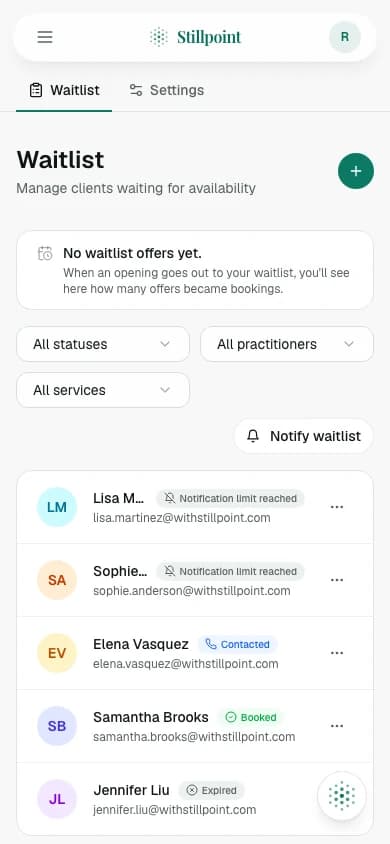
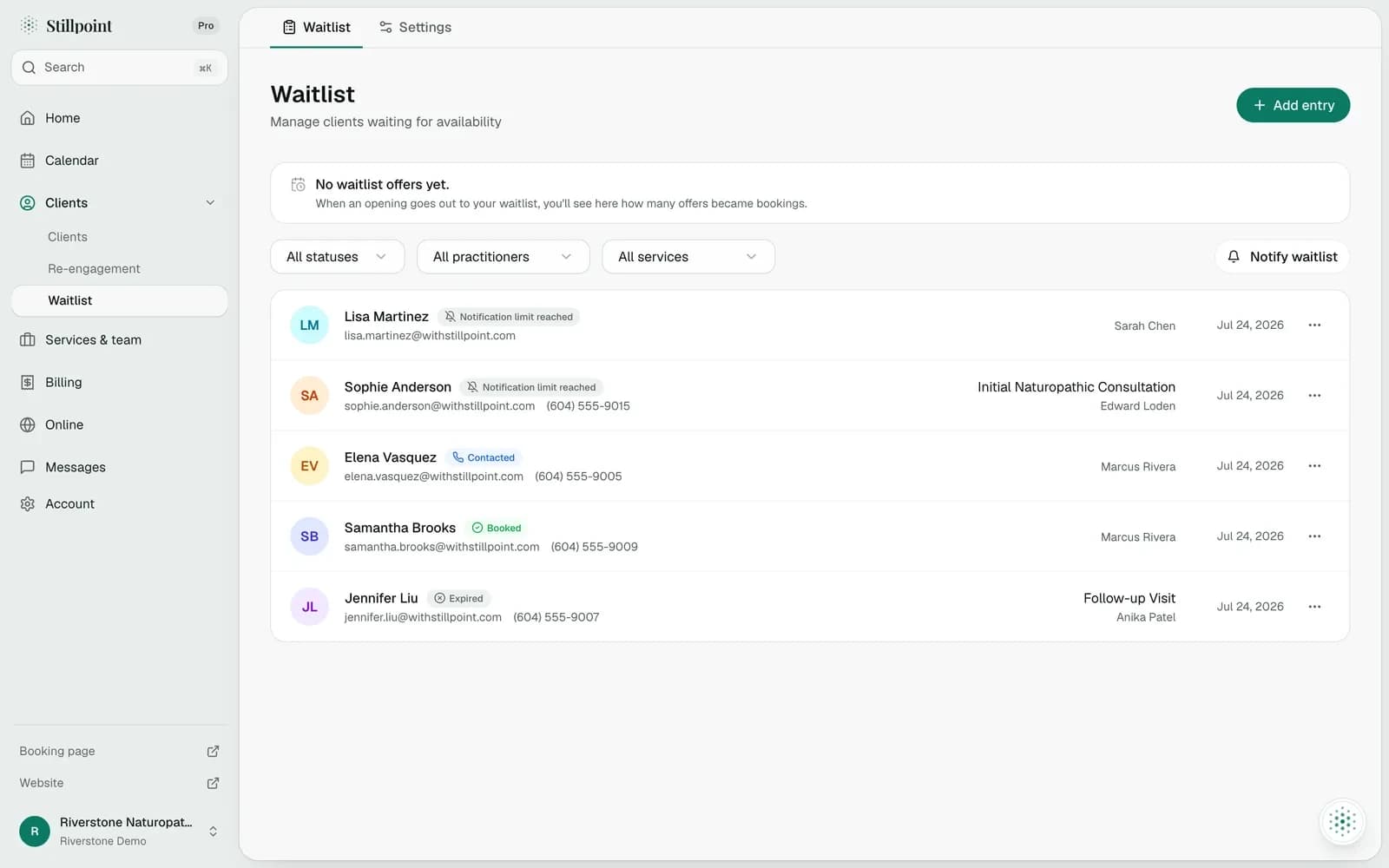
When an appointment is cancelled, Stillpoint checks the waitlist for matching preferences. Matching clients get notified automatically. Your waitlist dashboard shows every entry with status, and you can contact clients directly or let automation handle it.
- Automatic matching
- Cancelled slots are matched against waitlist preferences: service, practitioner, and time window.
- Instant notifications
- Matching clients get an email the moment a slot opens. First to book gets it.
- Full dashboard
- See every waitlist entry, their preferences, and whether they've been notified or booked.
Ready when you are.
Join wellness practitioners who use Stillpoint to fill their schedule and focus on what matters most.
Start Free© 2026 Stillpoint