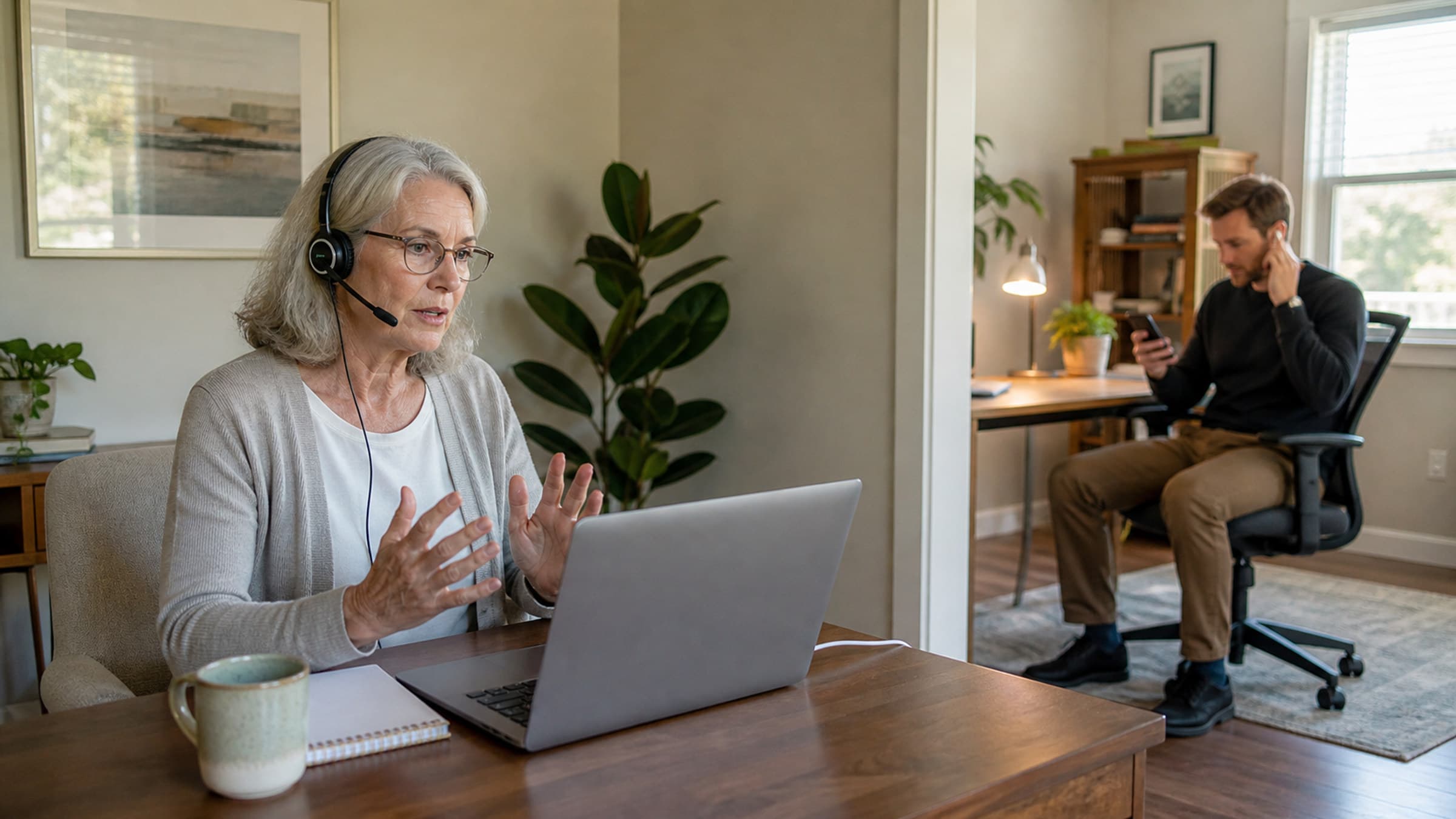
Getting the technology right
Your tech setup does not need to be expensive, but it does need to be reliable and compliant.
Use a video platform covered by a BAA. Standard Zoom, FaceTime, and Google Meet are not HIPAA-compliant in their default configurations. You need either a platform specifically designed for telehealth or a business-tier plan with a signed BAA. Your practice management software may include compliant video - if so, that is the simplest option because scheduling and session links stay in one place.
Invest in a good webcam and microphone. Your laptop's built-in camera and mic are serviceable but rarely ideal. An external webcam at eye level and a dedicated microphone dramatically improve how your clients experience the session. You do not need broadcast-quality equipment - a mid-range webcam and a USB microphone make a meaningful difference for under two hundred dollars.
Ensure a stable internet connection. Wired ethernet is more reliable than Wi-Fi for video calls. If ethernet is not practical, position yourself close to your router and minimize other devices using bandwidth during sessions. A connection speed of at least 10 Mbps upload and download is the minimum for consistent video quality.
Have a backup plan. Technology will fail eventually. Decide in advance what happens when it does. A phone number to call, a secondary platform, or a policy for rescheduling should all be part of your informed consent documentation.
Creating a professional virtual environment
What your client sees behind you matters more than you might think. Your virtual background communicates professionalism, warmth, and intentionality.
Keep your background simple and consistent. A clean bookshelf, a plant, neutral wall art - these signal a dedicated clinical space. Avoid virtual backgrounds if possible, as they create visual artifacts that can be distracting. If your physical space is not suitable, a high-quality blurred background is better than a fake beach.
Pay attention to lighting. Position a light source in front of you, not behind you. Natural light from a window you face works well. Backlighting turns you into a silhouette, which makes it harder for clients to read your expressions - and expression reading is already diminished on video.
Frame yourself at eye level with appropriate distance. Your camera should capture your head and shoulders, roughly the same framing as a natural conversation distance. Looking slightly down at a laptop camera creates an unflattering angle and subtly communicates disengagement.
Maintaining rapport through a screen
The therapeutic relationship is the strongest predictor of outcomes, and building it through a screen requires some deliberate adjustments.
Look at the camera, not the screen. This is the single most impactful adjustment you can make. When you look at your client's image on screen, it appears to them as if you are looking slightly away. Looking directly into the camera creates the experience of eye contact. It takes practice, but it transforms the quality of virtual connection.
Name the medium explicitly. Acknowledging that you are working through a screen - especially early in the relationship - normalizes the slight awkwardness and invites clients to share what the experience is like for them. Asking "How does it feel to do this over video?" is a simple intervention that demonstrates attunement.
Slow down and pause more intentionally. Video introduces a slight delay that can make conversations feel rushed. Leaving slightly longer pauses than you would in person gives the technology room to breathe and prevents the overlapping speech that makes video calls exhausting.
Use verbal cues more than visual ones. Subtle nods and facial expressions do not always translate well on video. Supplement your nonverbal responses with brief verbal acknowledgments so clients know you are tracking with them.
Consent and compliance considerations
Telehealth introduces specific legal and ethical requirements beyond standard informed consent.
Update your informed consent. Your consent documents should address the use of technology, the limitations of telehealth, confidentiality risks specific to video sessions, and what happens if the technology fails. Many licensing boards have published telehealth-specific consent templates.
Verify licensure requirements. In most jurisdictions, you must be licensed in the state where your client is physically located during the session, not where your office is. This has significant implications if clients travel or relocate. Check your state board's current telehealth policies regularly, as these continue to evolve.
Document the modality. Your session notes should reflect that the session was conducted via telehealth. This is a billing requirement for insurance and a best practice for your clinical records.
Adjusting session structure for video
Some small structural changes make virtual sessions feel more contained and intentional.
Build in transition time. In-person sessions have natural transitions - the walk to your office, sitting down, the physical shift into therapeutic space. Virtual sessions start with a click. Consider beginning with a brief grounding moment or check-in ritual that helps both of you shift into session mode.
Be more explicit about time. Without the physical cues of an office environment, time can feel less structured on video. A gentle time check at the midpoint and a clear signal when you are approaching the end of session helps maintain the container.
End with a clear closing. The abruptness of ending a video call can feel jarring after emotional work. Develop a consistent closing routine - a summary, a brief look ahead, a moment to reorient - before you disconnect.
Making telehealth sustainable
Virtual sessions are not going away, and the therapists who invest in doing them well will have a meaningful advantage. The setup takes some initial effort, but once your space, technology, and workflow are dialed in, telehealth becomes a natural extension of your practice rather than a compromise.
If you are looking for a platform that integrates scheduling, telehealth, and documentation into one workflow, Stillpoint offers a free account to get started.