
Fewer no-shows. Zero effort.
Automated email and SMS reminders go out before every appointment. Clients stay informed, your schedule stays full, and you never have to send a reminder manually again.
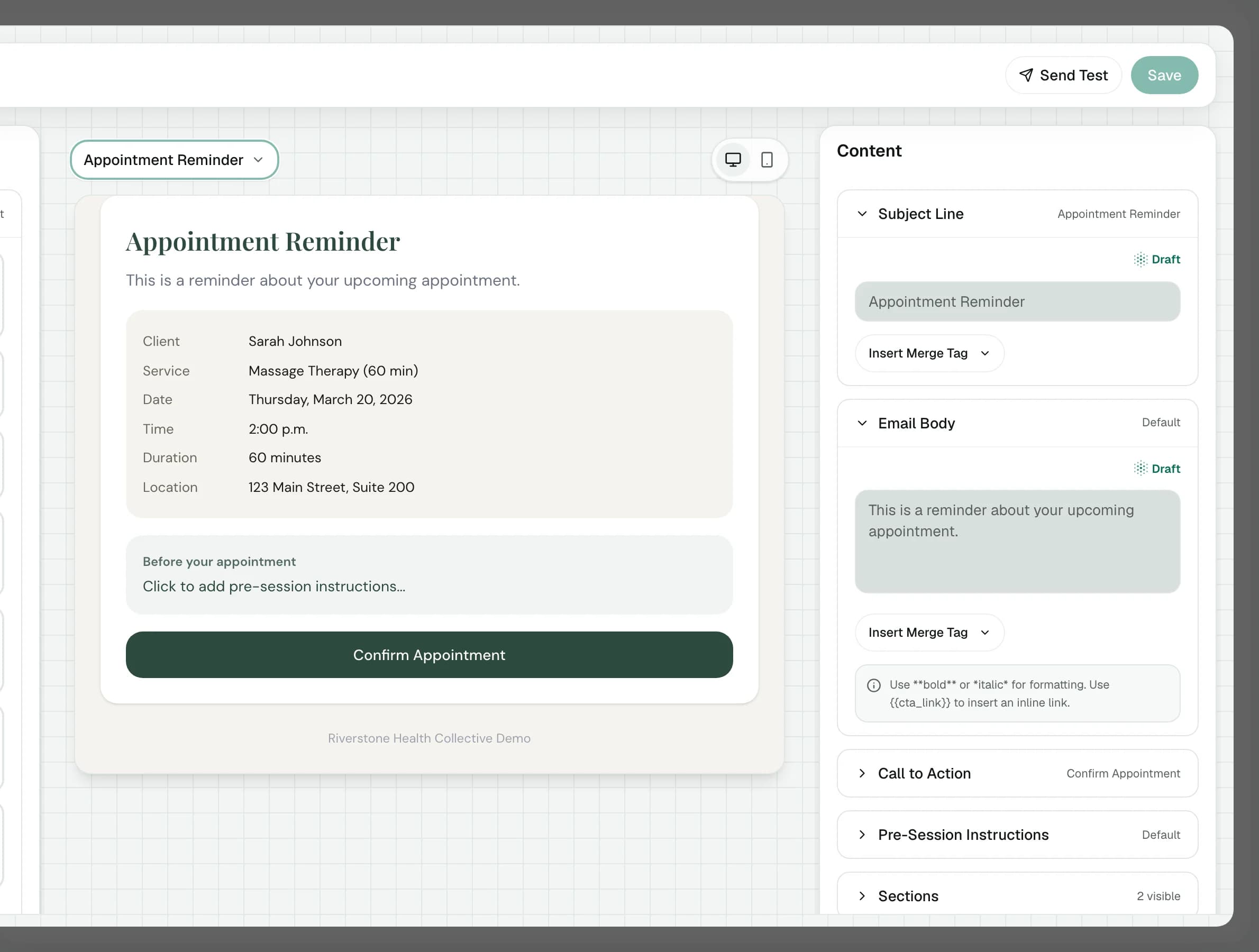
A short film without narration; its words are on screen. Every client email is shaped in one place: confirmations, reminders, receipts and more. A reminder carries the visit's details and can ask the client to confirm; it goes out 48, 24 or 2 hours before, or at a time the practice chooses, by email and by text with consent. A real confirmation arrives in a test inbox, video visits join straight from the email, and changes are one click away.

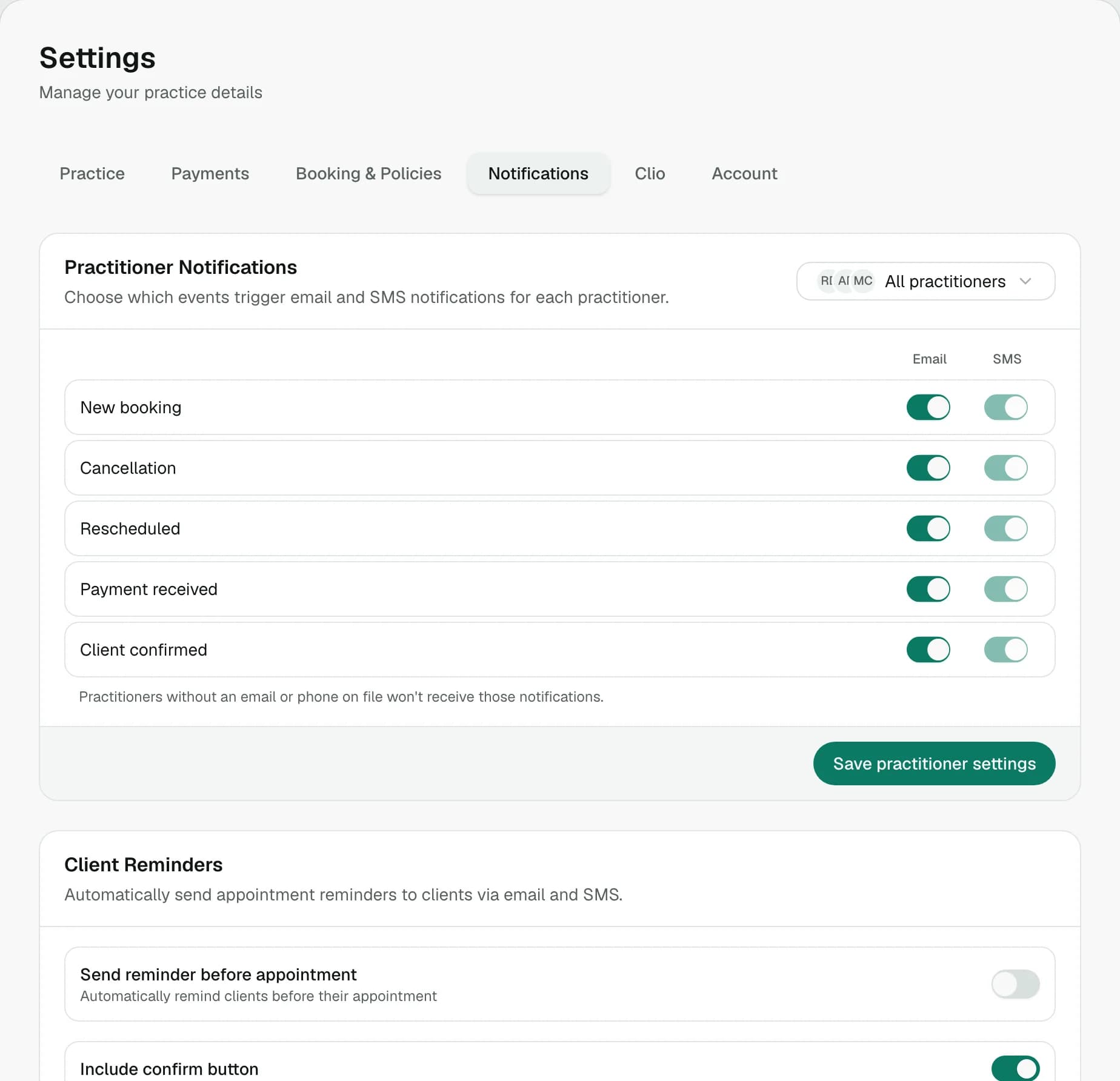
Set it once, forget about it.
Choose when reminders go out: 24 hours before, 2 hours before, or both. Toggle email and SMS per practitioner, and let the system handle the rest.
- Configurable lead time
- Set reminders to go out hours or days before. Adjust the timing to match your practice style.
- Email + SMS
- Reach clients however they prefer. Enable both channels or just one. It's up to you.
- Per-practitioner control
- Each practitioner gets their own notification preferences, so the right person hears about the right booking.
Clients always know what's next.
Every appointment comes with a confirmation email and a reminder before the session. Clients see the date, time, practitioner, and any instructions you've added: no confusion, no missed sessions.
- Instant confirmations
- Clients receive a confirmation email the moment they book, with all the details they need.
- Timely reminders
- Automated reminders go out at the lead time you set, so clients remember, and you don't have to chase.
- Easy rescheduling
- Every email includes a manage link so clients can cancel or reschedule on their own.
Your schedule, always full.
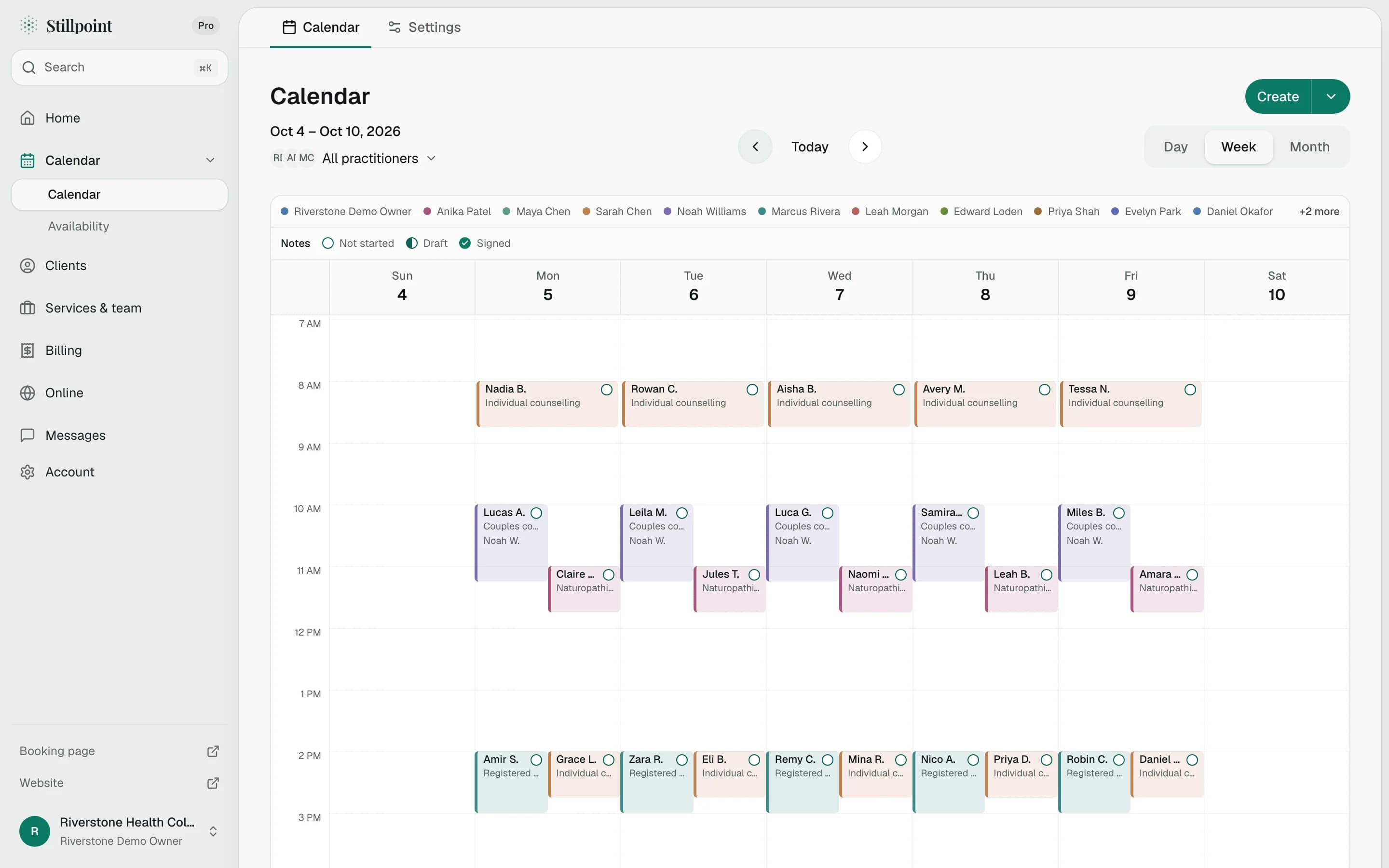
The dashboard shows today's appointments, upcoming sessions, and key metrics. Reminders are sent automatically. You just focus on the work that matters.
Ready when you are.
Join wellness practitioners who use Stillpoint to fill their schedule and focus on what matters most.
Start Free© 2026 Stillpoint