
A template for every visit. Shaped to how you work.
Start from note templates written for your discipline, or build your own from scales, body charts, checklists and measurements. Each service opens on its own template.
A short film without narration; its words are on screen. Note templates written for the practice's kind of work, each section shaped to how the practitioner works, with a choice of what carries forward from one visit to the next. A visit's note opens on its template with the last visit one tap away: a score shows its change since then, and the treatment goals carry over. A signed note is dated and kept as it was, every note adds to the client's record, and the practitioner chooses who on the team can read it. Or AI Scribe, an optional add-on, drafts it.

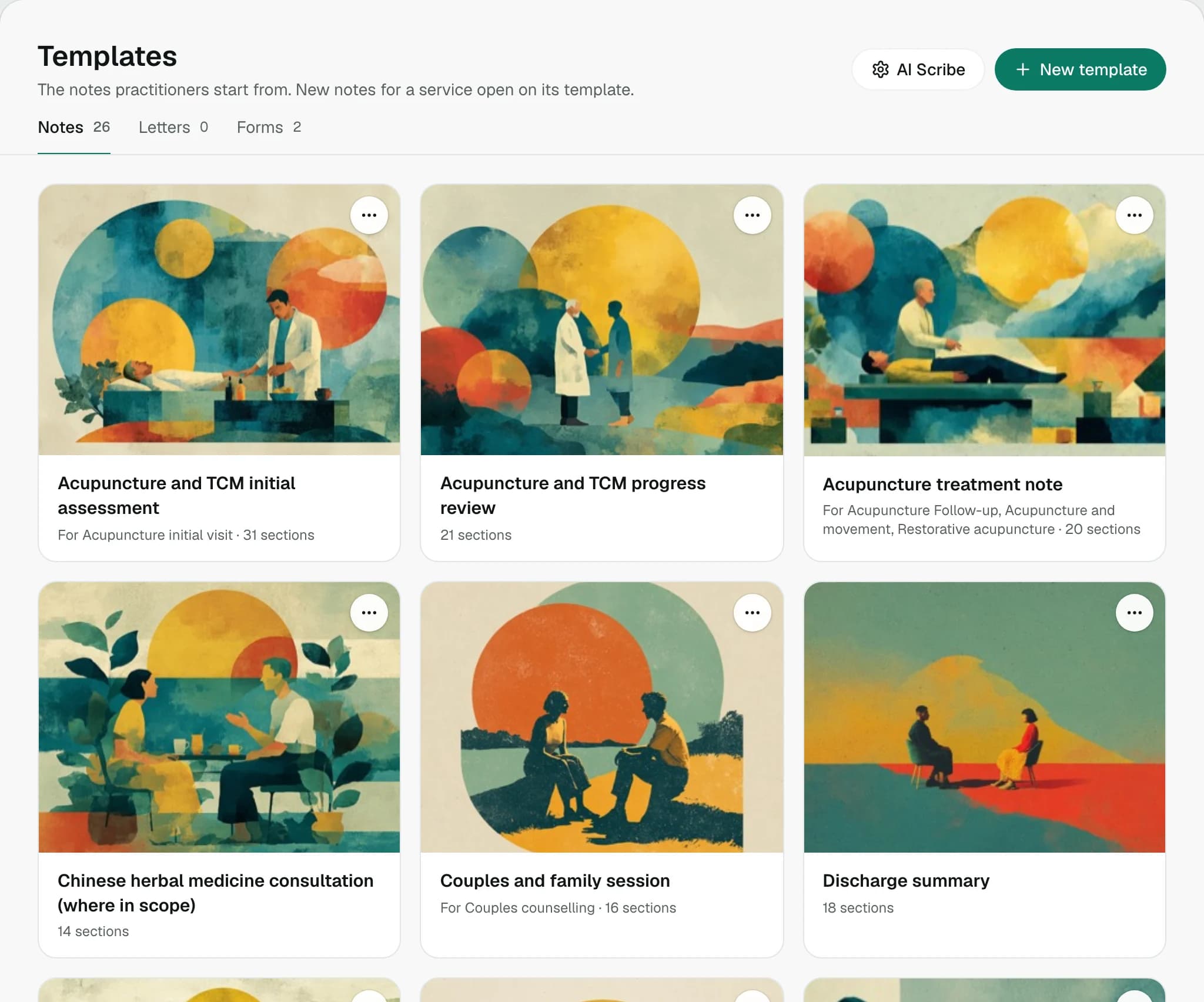
Written for your kind of practice.
Stillpoint comes with note templates for thirteen disciplines, from massage therapy, physiotherapy and chiropractic to acupuncture, naturopathy, mental health therapy, nutrition and yoga. The first time you open Templates, your own discipline's pack is there, its everyday note and initial assessment already set for the services they match.
- From intake to discharge
- Initial assessments, everyday treatment notes, progress reviews and discharge summaries. Therapy progress notes come as DAP, BIRP or SOAP.
- More than one discipline
- A clinic gets the pack for each discipline its services name, and can add any other pack.
- Yours from the start
- Every template you add is your practice's own copy, to rename, reshape or delete.
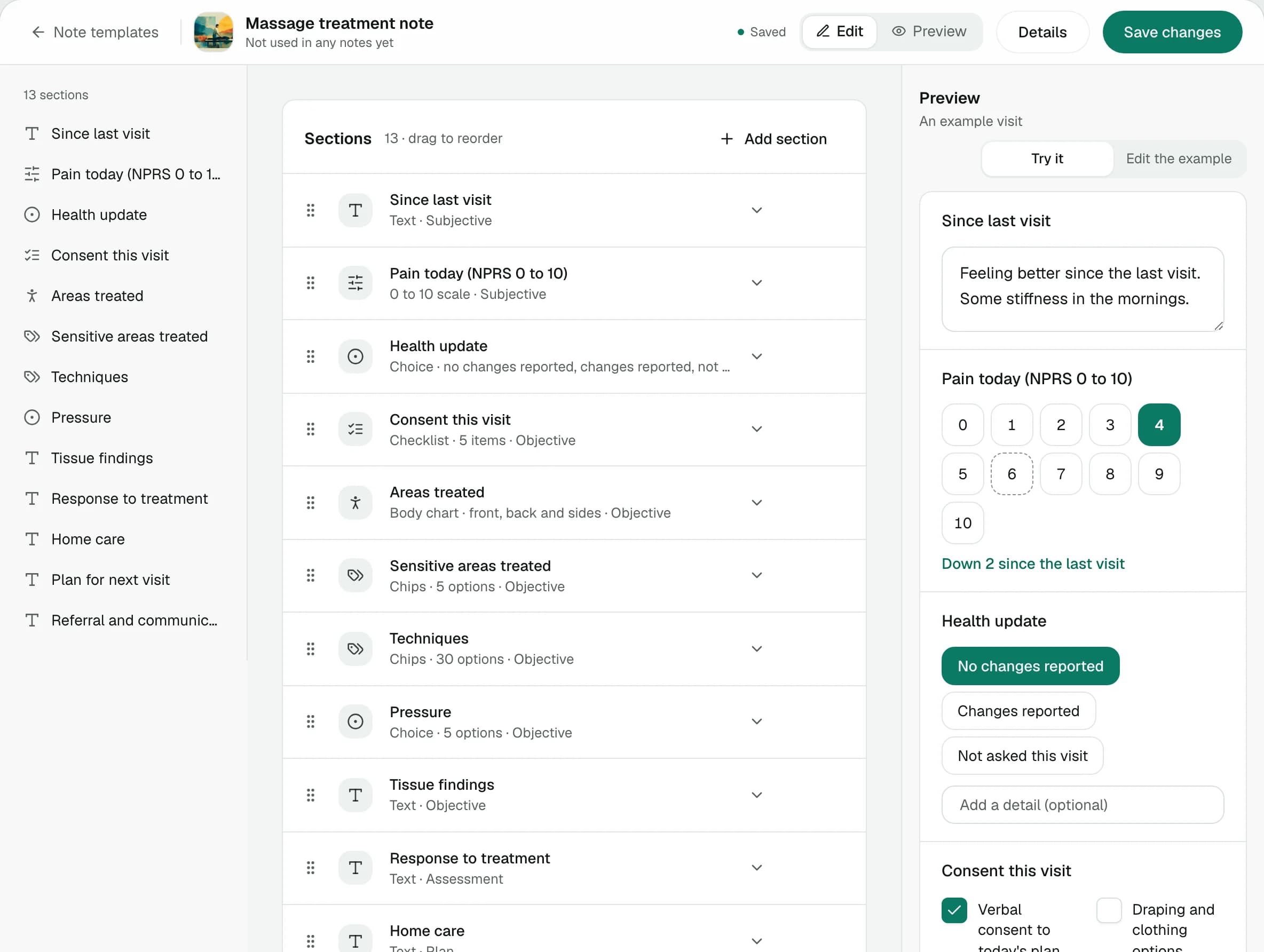
Shape each section to how you work.
A template is a list of sections. Name each one, choose its type, file it under Subjective, Objective, Assessment or Plan, and drag it into place. Beside the list, a preview shows the note your team will fill in, and you can try it as you build.
- Still a SOAP note
- However it's built, a note saves into its four SOAP parts, so note cards, PDFs and search read it the same way.
- Signed notes keep their shape
- A note keeps the sections it was written with, so changing a template never rewrites a note.
- Room for an assessment
- Up to 40 sections in a template.
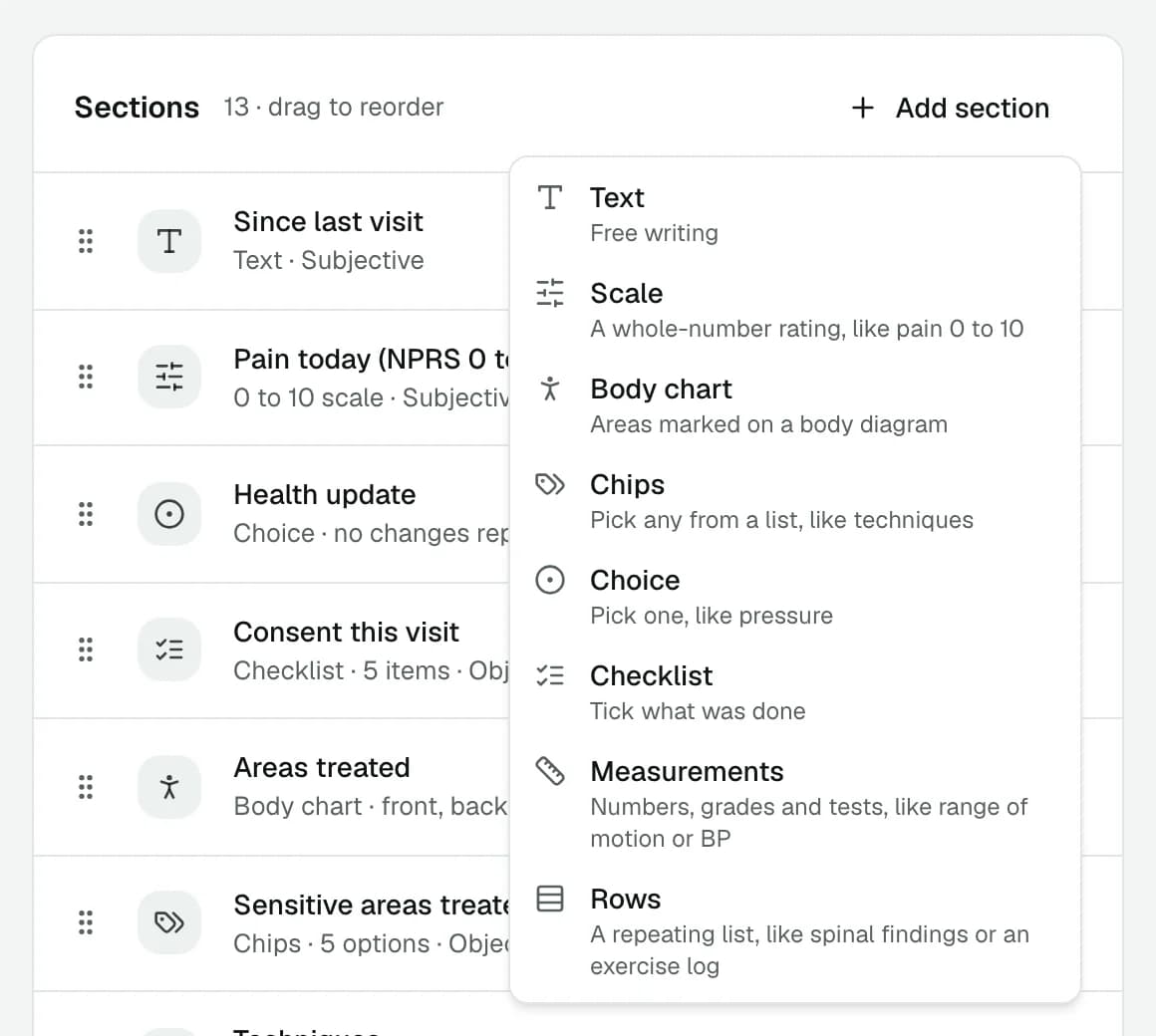
Eight kinds of section.
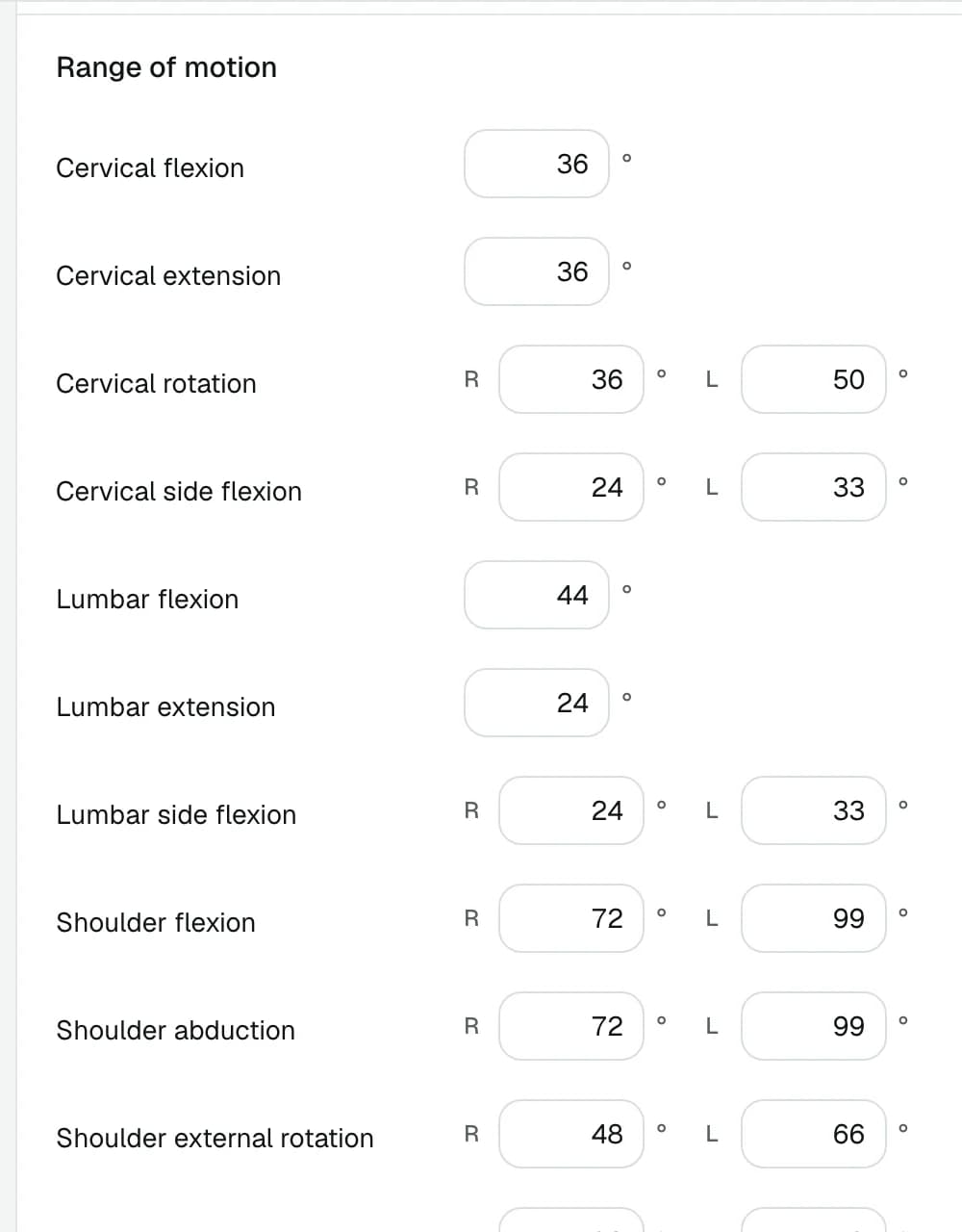
Free text for what the client tells you. A scale for pain, a body chart for the areas you treated, chips for your techniques and one choice for pressure. A checklist for consent, measurements for range of motion or blood pressure, and rows for a repeating list like spinal findings or an exercise log.
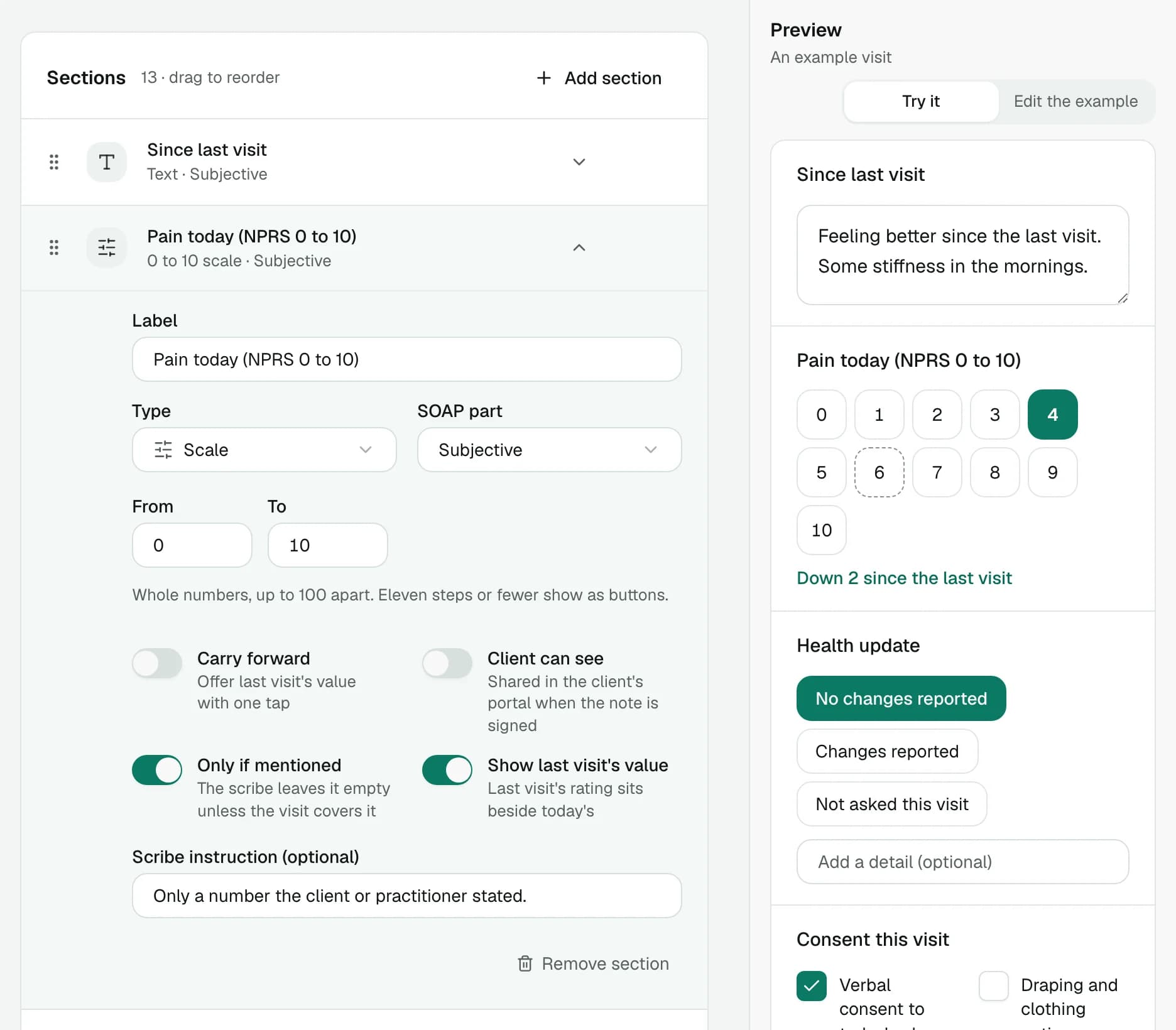
Choose what carries forward.
Each section decides how it behaves from one visit to the next. Open it to set its range or its options, then switch on what it should do.
- Carry forward
- Last visit's value is offered with one tap, marked so you can see where it came from.
- Last visit's value
- A rating sits beside the one before it, so a pain score shows how far it has moved.
- Client can see
- Sections like home care go to the client's portal when you sign and share the note.
- For AI Scribe
- Tell the scribe how to fill a section, or to leave it empty unless the visit covers it.
Measurements that mean the same every visit.
A measurement section asks for numbers, grades, positive or negative tests and blood pressure, each with its unit and range. The packs draw theirs from one library, so a reading means the same thing in every template that asks for it, and last visit's value can sit beside today's.
- Right and left
- Joint range, muscle grades and special tests take a value for each side where there are two.
- Outcome scores
- The Oswestry, Neck Disability Index, PSFS, PHQ-9 and GAD-7 among them, each on its own scale.
- Your units
- The packs measure in metric. Edit an item to chart in pounds or Fahrenheit.
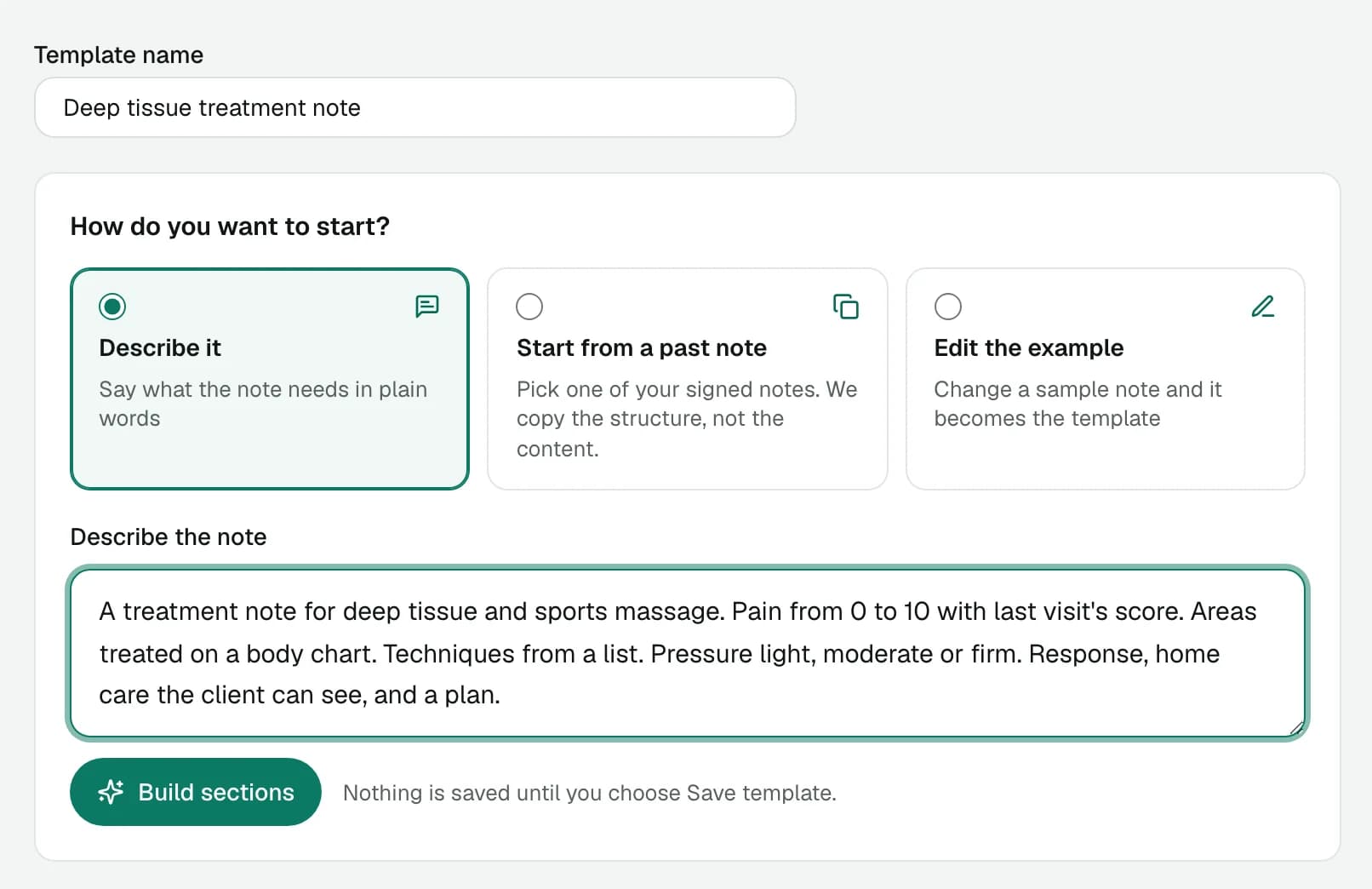
Describe it, or start from a note.
Describe the note in plain words and AI drafts its sections. Or pick one of your signed notes, or change the example note until it reads like yours. Nothing is saved until you save the template.
- Structure, not content
- Building from a past note copies its sections and leaves out anything that looks specific to the client.
- Default for these services
- Tick the services a template is for, and every note for those visits opens on it.
- Classic templates
- Simple SOAP or narrative templates with default text, for notes that need no sections.
Write the note once. Use it every visit.
Free to start. No credit card required. Clinical notes and their templates are on the Solo and Professional plans.